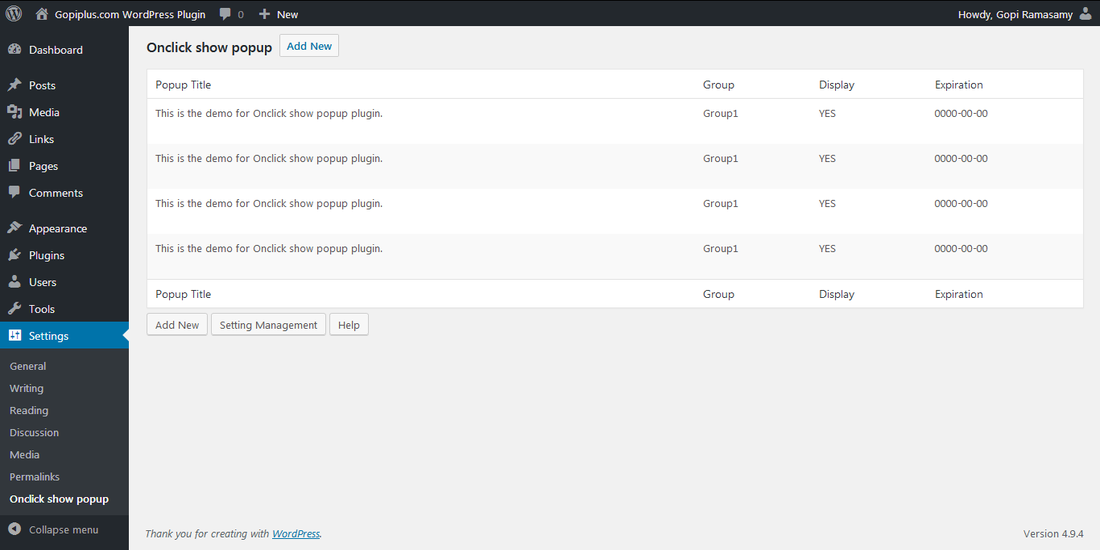
Onclick show popup It is graphical way to show your content. When the user clicks on a link, a new window opens and displays the content. This is easy and effective way to show your detail information to user. This plugin use the JQuery script to show the popup content.
Plugin live demo available on the sidebar & Below, click the text and see the popup window. also you can check few more popup plugin in my plugin list.
Live Demo
Lorem Ipsum has been the industry’s standard dummy text ever since the 1500s, when an unknown printer took a galley of type and scrambled it to make a type specimen book. It has survived not only five centuries, but also the leap into electronic typesetting, remaining essentially unchanged. It was popularised in the 1960s with the release of Letraset sheets containing Lorem Ipsum passages, and more recently with desktop publishing software like Aldus PageMaker including versions of Lorem Ipsum.
It is a long established fact that a reader will be distracted by the readable content of a page when looking at its layout. The point of using Lorem Ipsum is that it has a more-or-less normal distribution of letters, as opposed to using ‘Content here, content here’, making it look like readable English. Many desktop publishing packages and web page editors now use Lorem Ipsum as their default model text, and a search for ‘lorem ipsum’ will uncover many web sites still in their infancy. Various versions have evolved over the years, sometimes by accident, sometimes on purpose (injected humour and the like).
Contrary to popular belief, Lorem Ipsum is not simply random text. It has roots in a piece of classical Latin literature from 45 BC, making it over 2000 years old. Richard McClintock, a Latin professor at Hampden-Sydney College in Virginia, looked up one of the more obscure Latin words, consectetur, from a Lorem Ipsum passage, and going through the cites of the word in classical literature, discovered the undoubtable source. Lorem Ipsum comes from sections 1.10.32 and 1.10.33 of “de Finibus Bonorum et Malorum” (The Extremes of Good and Evil) by Cicero, written in 45 BC. This book is a treatise on the theory of ethics, very popular during the Renaissance. The first line of Lorem Ipsum, “Lorem ipsum dolor sit amet..”, comes from a line in section 1.10.32.
Feature of this plugin
- Simple.
- Easy installation.
- Easy configuration.
- Unblockable.
- Popup appear on text click.
Plugin configure
First step is to upload and activate the plugin(Check installation instruction below).
Configuration Option 1
Drag and Drop the Widget: Go to widget page under Appearance tab, Drag and drop Onclick show popup widget into your side bar.
Configuration Option 2
Add the gallery in the Posts or Pages: Copy and paste the given short code into pages or posts.
Configuration Option 3
Add directly into theme: Add directly in the theme: Use the below code to add popup to your theme files.
<?php if (function_exists (OnclickShowPopup)) OnclickShowPopup(); ?>
Plugin Short Code
[onclick-show-popup group="1"]
group : It is your content group.
Installation instruction
Method 1
- Download the plugin onclick-show-popup.zip from download location.
- Unpack the onclick-show-popup.zip file and extract the /popup/ folder.
- Drop the onclick-show-popup folder into your ‘wp-content/plugins’ folder.
- In word press administration panels, click on plug-in from the menu.
- You should see your new onclick show popup plug-in listed.
- To turn the word presses plug-in on, click activate.
Method 2
- Go to ‘add new’ menu under ‘plugins’ tab in your word-press admin.
- Search onclick show popup plugin using search option.
- Find the plugin and click ‘Install Now’ link.
- Finally click activate plug-in link to activate the plug-in.
Method 3
- Download the plugin onclick-show-popup.zip from download location.
- Go to ‘add new’ menu under ‘plugins’ tab in your word-press admin.
- Select upload link (top link menu).
- Upload the available onclick-show-popup.zip file and click install now.
- Finally click activate plug-in link to activate the plug-in.
Frequently asked questions
Q1. Is possible to add the pop up into the particular page/post?
Yes, add the given code into page/post. See comment 1 to find the short code.
Q2. How to update the popup information/content?
Administration → OnClick Show Popup → Content management
Download location
http://www.gopiplus.com/work/wordpress-plugin-download/
Plugin Short Code
[ONCLICK-SHOW-POPUP:GROUP=GROUP1]
Many Thanks for plugin.
The WordPress Description notes contain the instruction :
Paste the php code to your php file
To insert the popup into (say) a header.php file I have tried variations of
“
or
“
No success ! Not a coder. Would appreciate help to insert this shortcode into a php file.
I have just installed this plugin – I have tried to use a thumbnail image to pop up a bigger version of that image – The thumbnail appears but when you click the image nothing happens. Have followed the instructions. Any advice would be good thanks
Hi,
Thanks for the plugin. I’ve a question, i want more then 10 groups, how can i change this? Is this somewhere in the code?
Nevermind, found the solution in the file onclick-show-popup/content-management.php.
Please any ideas how to remove the bullet that appears when you insert the onclick show popup code into a page?
I installed the onclick-show popup. It works great. it is a fantastic plugin.
However when I copy and past the code into a page, it appears as an ordered list i.e. with a little square bullet point.
Please any ideas how to edit the onclick-show popup in such a way that the bullet does not show when the code is pasted into a page.
Graet little Plugi-in just what I was looking some limitations but still great. Ray Did you did you find a way around the bullet list
Cheers
Is it possible to display php code in the pop up?
Thanks
David
Hello,
Just downloaded Onclick show popup and when I click on the link I get a message that reads:
Image cannot be loaded. Make sure the path is correct and image exist.
Is this only to display images or can I copy the html from another page a have it displayed?
What I am really looking for is a way to have a form with some (?). When people click on the ? they get a help pop-up or DOM file. Any ideas?
Bug?
When on same page there is:
[ONCLICK-SHOW-POPUP:GROUP=GROUP1]
[ONCLICK-SHOW-POPUP:GROUP=GROUP2]
[ONCLICK-SHOW-POPUP:GROUP=GROUP3]
On click show only Group1 popup, when cliсk on any group…
I am having the same issue. I have the code setup to allow for 2 groups
[ONCLICK-SHOW-POPUP:GROUP=GROUP1]
[ONCLICK-SHOW-POPUP:GROUP=GROUP2]
yet both links open GROUP2 only. Can anyone help?
When I rollover my links I can see
goto #inline_demo0 on this page
Both of my links, though they are different Groups show the same thing. But when I rollover the sample links in the sidebar on this page I see
goto #inline_demo0 on this page
goto #inline_demo1 on this page
goto #inline_demo2 on this page
goto #inline_demo3 on this page
So for some reason mine are doing this. Does anyone know why?
Not sure if this will be helpful for everyone (it’s a bit of a workaround), but I overcame this issue by opening up click-show-popup.php and changing all instances of inline_demo’.$counter.’ to inline_demo’.$group.’ (there should be 4).
This sets the popup url to be identified by the group, instead of the counter value.
This will work for a single post, but not multiple posts in a group.
Thanks Dan, this helped me a lot, ans save a lot of time!
Thanks!
Thanks for the fix!
Thanks Dan, it`s working now
But with multiple posts in a group???
i would like to thank u for the plugin i installed it and it’s a great one. but i was wondering how could i change the width of the popup .
” i tried to insert a table in the popup and it didn’t fit into the popup” .. i need to increase the width of the popup any ideas
Hi,
I get this at the end of my address: #inline_demo0
But the plugin isn’t working..Help..
It sucks, sorry it’s no good
How do I remove the plugin. WP won’t le me delete the plugin.
same question,, would like to increase with width,, so going to hack the plugin to suit my needs, otherwise its Great, Thanks
-V-
@ Vic if you are not able to delete the plugin, try deleting the folder through your FTP account.
You didn’t include the PHP code for putting it in the theme…………………………………………………….
I lied, you did put in the PHP code, but WordPress ate it, use the < ; > ;
Where is the php code? I am looking feverishly for just that… thanks!
Any help with removing the Bullet like Ray asked
Hello sir,
Is it possible to display pop up in php code ?
or can u give me php short code for display pop up ?
Thank you
virendra kumar
Try “Scroll popup html content ads” plugin
@ AMR
I have spent the last hour trying to find how to change the width. It is in the
onclick-show-popup/js/jquery.prettyPhoto.js file
under “default_width:500″ change that to the dimensions you want.
@ Ray
To get rid of the bullet point. View your site in a web browser then view source and then copy the code back into your site. But removing the WP code. Then remove the from the code where the popup is.
Hope this helps guys
# remove “”
sorry @Ray it won’t let me post – take out the spaces
this is stupid… take out ul and li
the “default_width:500;” has no effect. If i don’t solve this soon.. i am taking this plugin off my site….Gopi is usually helpful…but this plugin seems to neglected.
Hello is there any way to sort titles, by ID or what…?
Thanks
Two things that are causing problems for me:
The content for each group comes up in a random order for some reason. I’d like to stop that behaviour but can’t work out how. Any order will do, but it needs to be a fixed order!
How can I control the default typeface used in popups? Specifying it in the HTML for the content isn’t reliable, some fonts work but others don’t. I cannot see how the plugin is getting the default style for the text.
Please … Help!!!
Thanks in advance.
Can someone explain to me step by step how to configure this plugin. I installed it, I added the code in the page, and when I click it I receive #inline_demo0.
NEED HELP.
Tell you what…I’ve got better things to do than read everything you ever wrote trying to figure out how to use this thing. It’s crap!!! Why don’t you create a help file. Exact instructions for everything in one place!!! Can you spell d-e-l-e-t-e? That reminds me: Learn some English!!!! What a waste of my time.
i put this code in my index page but do not work
How can I imbed the popup in an image. OR stated another way, click on an image and it triggers the popup.
How to change text color? It is showing as light gray on mine (and I have a white background). Thanks
I am not able to make this plugin work, I have installed it successfully but where exactly i need to put this shortcode, I am trying to make this pop in a post.
can anybody please help????
Rohit,
1. Put the short code on the HTML section of the page where you want to use it (if you want it in a particular page)
2. go back to Settings/Onclickpop and choose content management. Edit the text and set Visible YES. (instructions are not clear on this site, it tells you different ways to install but not how to use it. I am tempted to write a clearer one). I got it all working but it doesn’t show well on the iPhone. If you want to enlarge to read the popup better, the pop up moves all over the screen, its hard to read. Its a good plugin but if its hard to view on the iPhone, unfortunately can’t use it. Hope there will be a fix to this.
Installed it and uninstalled it within 10 mins as the inline method keeps failing, presenting the error message “Image cannot be loaded. Make sure the path is correct and image exist.”
Since there’s no image in the message, I assume it’s failing to find its own folder path (my WP install is not in the root of the domain).
I have installed the plugin successfully and I’m happy with it so far. The only thing I need help with is figuring out how to resize the height of the popup box. I’ve gone into the css and .js files and it doesn’t work. Any help would be appreciated.
Hello,
looking back, the question was not so much how to increase the width, but after increasing it, how to auto-center it.
Anyway, new question.
Im searching for a way to change the short code into a link?
I need this -> [ONCLICK-SHOW-POPUP:GROUP=GROUP1] to be a some how attached as a link, so instead of clicking the Title(s) Id like to assign [ONCLICK-SHOW-POPUP:GROUP=GROUP1] to images.
thanks
-V-
Hi All
I was wondering if someone could tell me if and how (in detail) this popup could be called via clinking on an image.
I am new …detailed instructions would be appreciated.
Thanks in advance
Never mind…I have found a alternative work around solution.
php code????????????
Post updated with PHP code.
Anyone know how to fix the bullet problem?
HOW-TO-REMOVE BULLET from the POPUP links in post:
In the Editor for the Plugin locate:
onclick-show-popup/onclick-show-popup.php
Now toward the end of this file there is a line saying:
@$li = @$li . ‘‘.$OnclickShowPopup_title.’‘;
Remove the: and the:
Rememeber to ‘Update file’ and that’s it
Thanks vin
in the css file :
* {list-style:none}
and it’s ok
Hi, can i display a single pop? i mean by its ID, instead of the group
Thank you
HI Nino,
You can find my another popup plugin. It is listed in the plugin list.
I keep getting ‘#inline_demo0′ in the permalink and no popup appears when i click on my link. Please help!
I’m trying to include a form inside the pop up and it isn’t working. I’ve tried the shortcode, and i have tried the view source copy form and past and i tried it with and with out js…
Can you please inform me as to the possibility of including forms inside pop up?
thanks
Hi All,
For some reason when I add content to the popup window, in some cases the “close” button gets clipped by the bottom of the window, i.e. I only get half a close button. Does anyone have any Idea why this might be happening/how to fix?
Thanks
Never mind, solved it, HTML problem.
I have run into another problem however, I went into the PHP to increase the number of groups and it seemed to have worked until I got up into double digits, any thoughts on how to get the code to recognize groups higher than 9?
Any thoughts would be much appreciated
Thanks
Mike
content-management.php
You can increase the group in this PHP file. in all other place it will work automatically.
I just installed and when i click on a link i get the “#inline_demo0″ and no popups… anyone knows whats wrong?
Sorry… didn’t go exactly, so, here goes a link
http://melosadvocacia.adv.br/hardwork.txt
Thanks for the comment.
Sorry, code did not display.
“ON CLICK POP EXAMPLE”
“[contact-form-7 id="4623" title="Buy Pre-Alert Form USA"]“
After open the popup from a page, when i press close it directs me to that initial page but the new url is http://initialpage/#!prettyPhoto. Due to some other plugins I have installed I need to get rid of the #!prettyPhoto. Any idea how to do this?
I installed it in my website http://www.kinindia.com. It is working well..Thanks for the plugin
When on same page there is:
[onclick-show-popup group="1"]
[onclick-show-popup group="2"]
[onclick-show-popup group="3"]
[onclick-show-popup group="4"]
On click show only Group1 popup, when any group is clicked?
I saw post from a year ago that talk about setting counter to group instead in the php.
Is this still the workaround or is the plugin updates to take the ID of the popup instead of GROUP.
thanks
i need the same plugin but i want to upload images in this to show in popup. can u suggest any plugin ?
I love this plugin. The only thing is that I don’t seem to be able to adjust the height and the width of the popup window. I went to jquery.PrettyPhoto.js and change the default_width and default_height, but that didnt do it.
Is there a way for me to do this?
Thanks
Pam
Oooooh never mind,. I fixed the height and width with CSS
Pam
Hi Pamela, and how did you do it? I have the same problem. Thanks Federico
Are you help us or what? Please, everybody have same problem…
2 pop ups in 2 group (1 and 2) don`t work on 1 page… always open only group 1…
It is so great plugin, please help us and fix that, i want to donate, but i want working plugin, not with bugs
Greetings…
I have the same problem, please fix it!